A meta-harness for working with Claude
A wrapper around Claude Code with hook-based response interception, structured extraction to a database, and a UI layer with pinned entities.
The problem
My workflow typically involves switching between multiple clients, each with its own set of tasks. As I initiated new agent sessions to handle these tasks (sometimes concurrently), I often found myself losing track of my current work. To address this, I sought a solution that would allow me to capture metadata about my Claude Code usage. This metadata would enable me to search and retrieve summaries of the tasks I was working on. The solution I discovered is versatile and can be applied to any agent harness, not just Claude Code.
What is a harness?
It’s the software infrastructure that wraps around an AI model (such as a language model) to transform it into a fully functional and autonomous AI agent. For instance, Claude Code serves as a harness, similar to Hermes, Pi, Open Code, and others. In the context of this article, we’ll consider Harness to be synonymous with Claude Code.
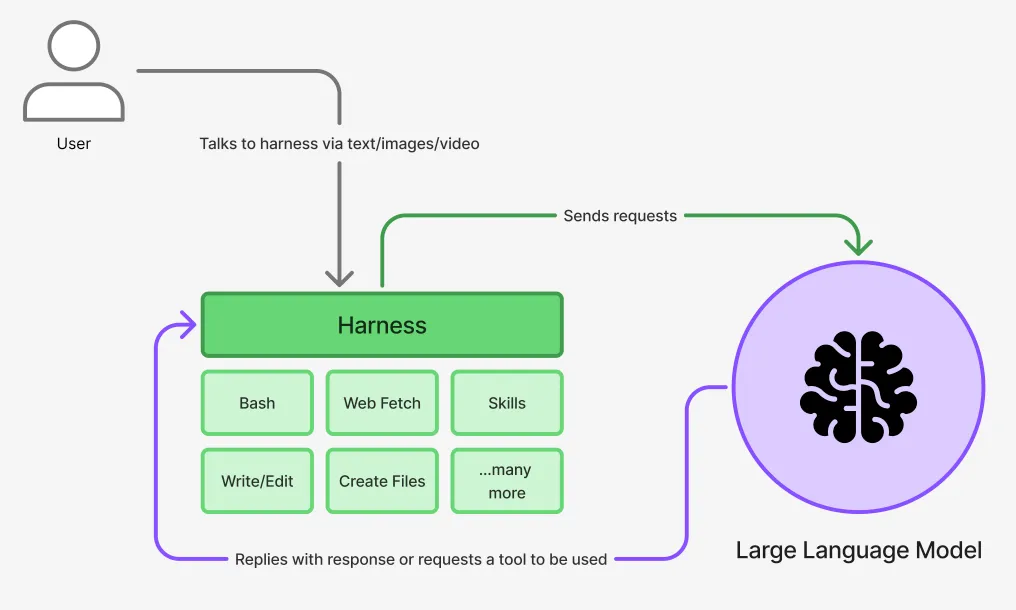
What is a meta-harness?
It’s not a term I’ve seen used before but it describes what I tried to accomplish pretty cleanly. My goal was to gather metadata about my harness sessions in an effort to retain as much context as possible. Think of a meta-harness like a note taker, constantly reading your messages back and forth, taking notes about what you think is important.
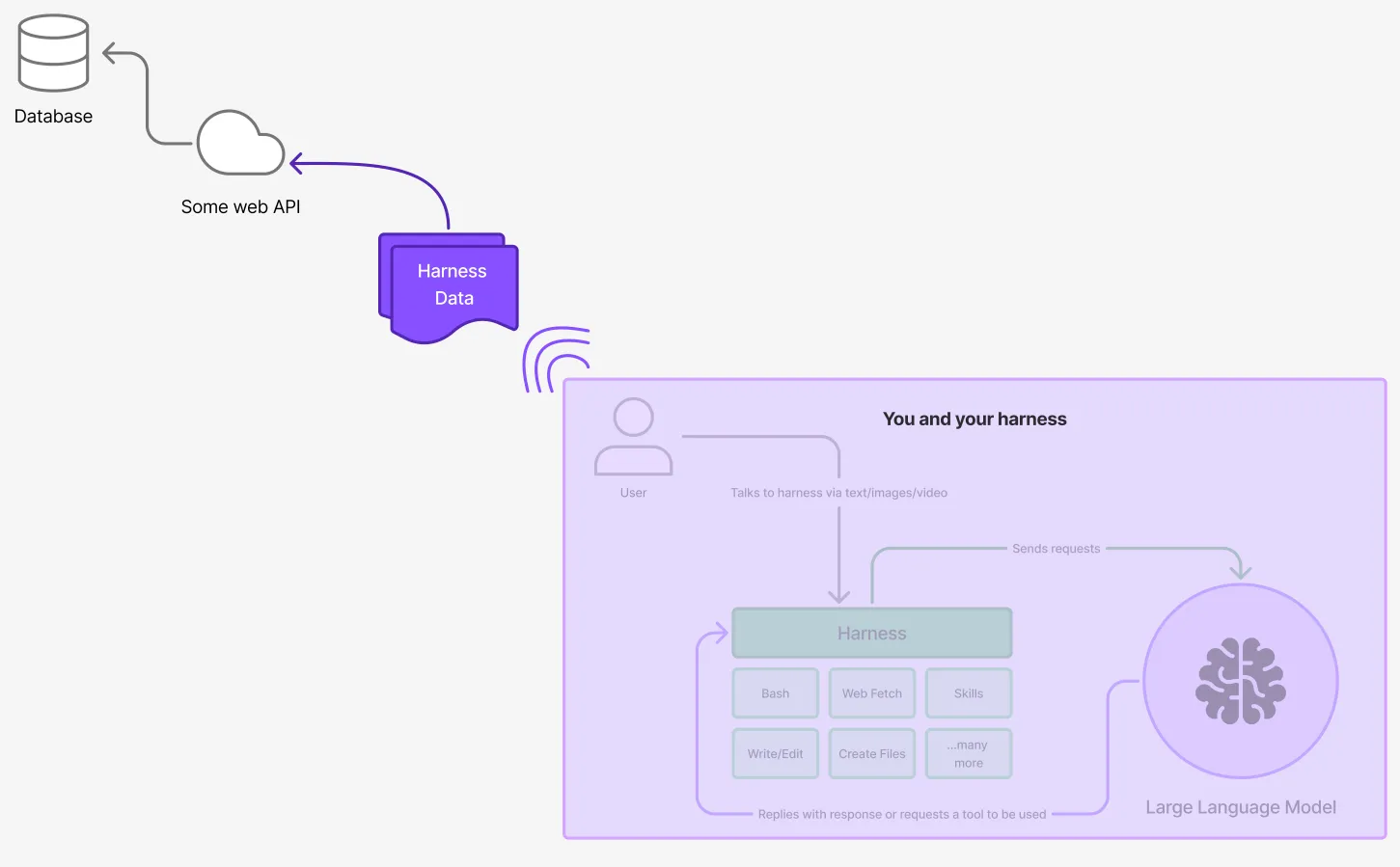
How do you capture metadata?
Claude Code has something called “hooks”. I think the name is pretty fair, since you are trying to hook into the processes that are executing within Claude Code.
At a high level, here is how you would integrate with hooks:
Hooks are configured in ~/.claude/settings.json (global) or per-project in .claude/settings.local.json. Claude Code supports two hook transport types:
| Type | How it works |
|---|---|
http | Claude Code makes an HTTP POST directly. You provide a URL and optional headers. |
command | Claude Code runs a shell command. Payload is piped to stdin. |
Available Hook Events
| Event | When it fires | Payload highlights |
|---|---|---|
SessionStart | Claude Code session begins | session_id, cwd, transcript_path |
UserPromptSubmit | User sends a message | session_id, cwd, prompt |
PostToolUse | After a tool executes | session_id, tool_name, tool_input, cwd |
Stop | Assistant finishes a response | session_id, last_assistant_message, cwd |
SessionEnd | Session closes | session_id, cwd, transcript_path |
Every event payload includes session_id and cwd (current working directory). The transcript_path field points to the JSONL file on disk where the full conversation transcript is written incrementally. Here’s a markdown file that describes all of this in greater detail: https://github.com/m4rcoperuano/claude-code-mission-control/blob/main/02-claude-hooks.md
Demo of what this can look like
Using the knowledge gained from the previous experience, I developed an app called Sunny Bots that serves as my primary tool for utilizing Claude Code. As a result, I rarely open Claude Code’s terminal anymore, as I’ve successfully set it up to initiate sessions and continue conversations where I left off without ever needing to open the terminal.
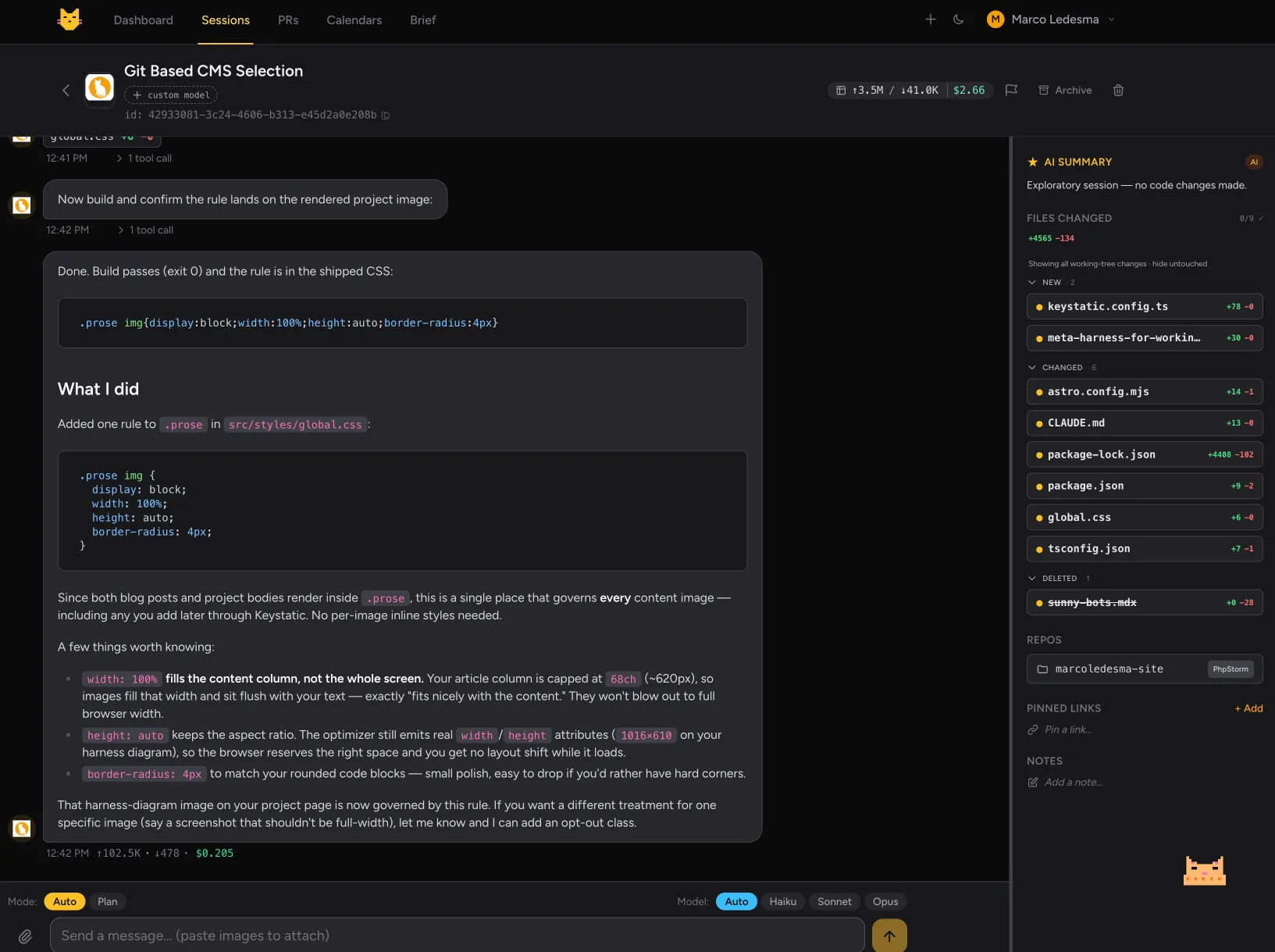
This is an example of a Claude Code terminal session being driven through a custom web UI. The stack is pretty straight forward if you’re a Laravel dev:
- Laravel 13
- PHP 8.4
- Redis (for queueing)
- Reverb (for real-time chat)
- Postgres DB
- Vue 3
However, your version of this does NOT need to use Laravel or any particular framework. In fact, the documentation in my github for this article was written so its framework-agnostic.
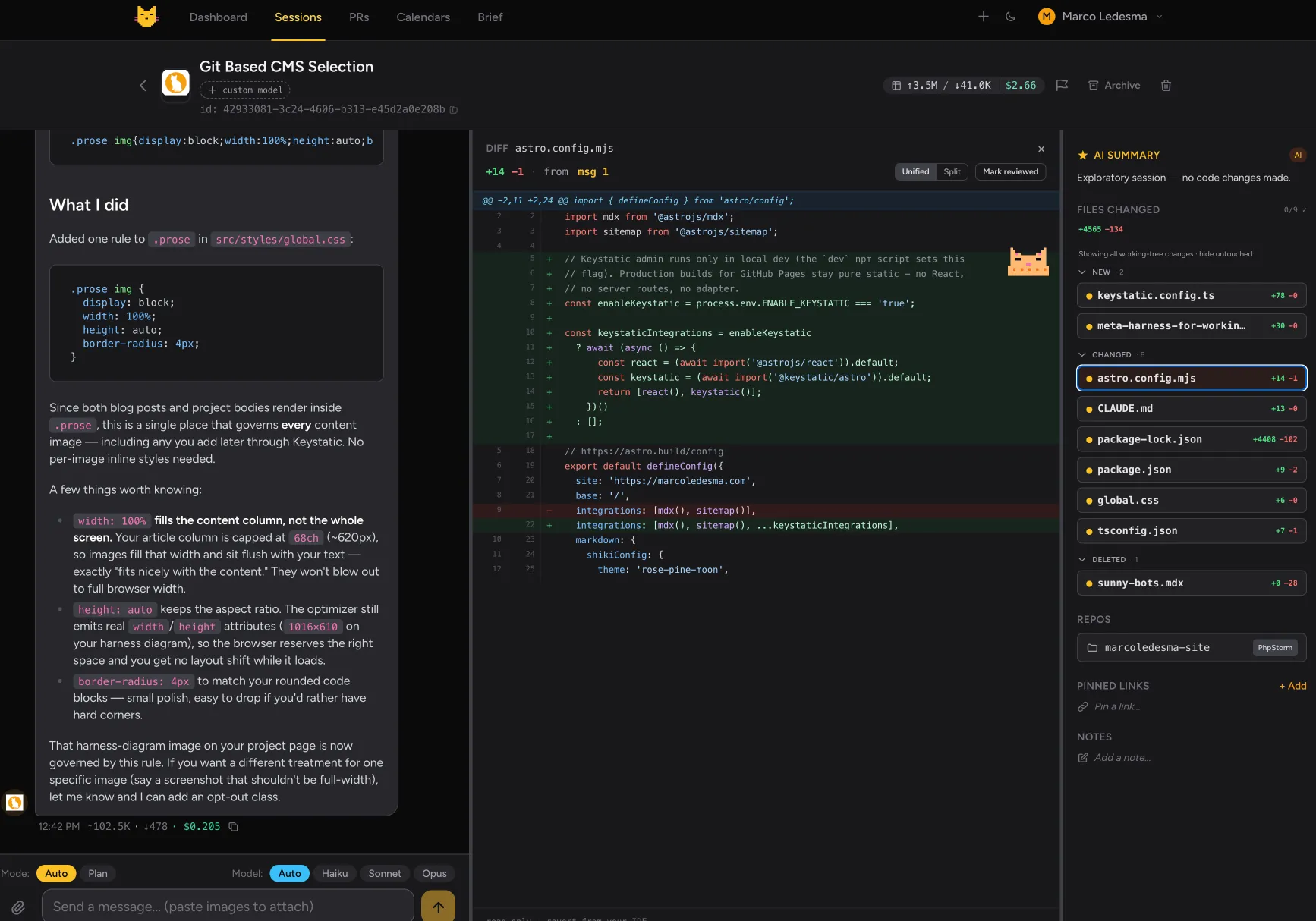
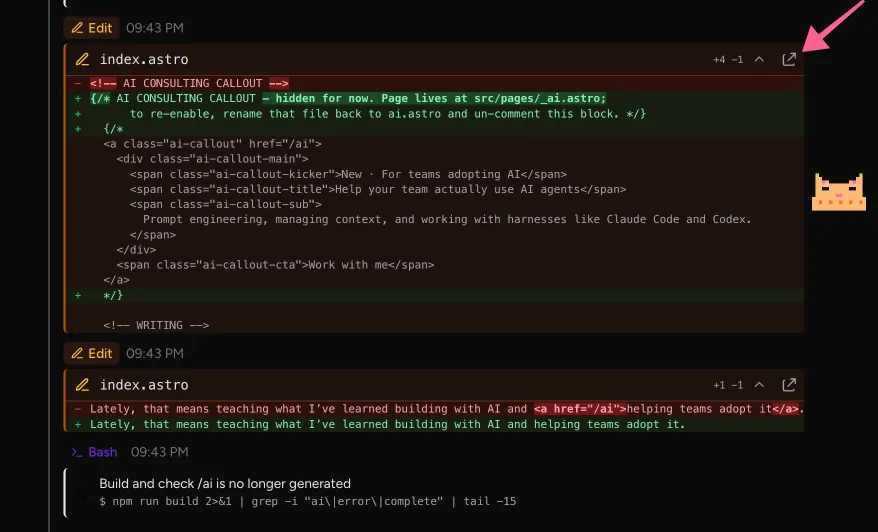
It doesn’t necessarily have to be a web-based user interface for chat. As demonstrated above, I was able to incorporate a file-diff viewer, which allows me to observe the changes made by Claude to my files without opening my integrated development environment (IDE).
What else did I add?
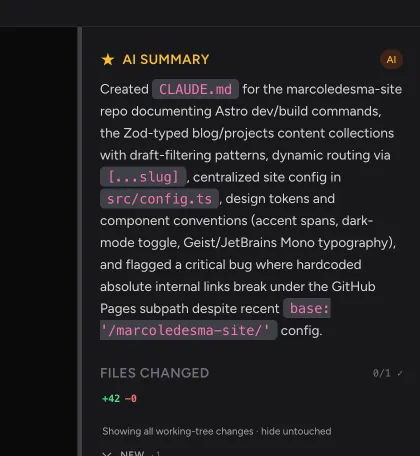
- This is an AI summary that are auto-populated as my chat evolves.
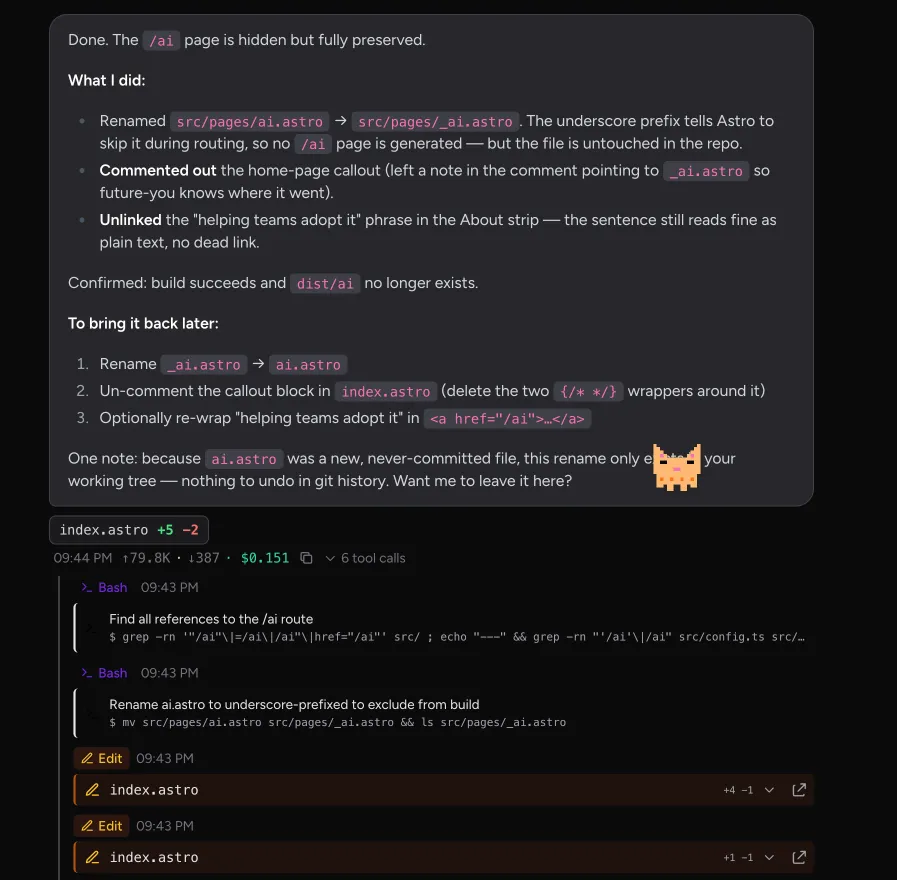
- Tool usage with a nicer user interface
- Clicking these links will also open them in my IDE
- The ability to attach files or switch claude models

- See estimated token cost, flagging, and archiving sessions

NOTE: This entire process is driven by Claude’s `-p` command, which allows me to continue using Claude code through my subscription. However, Anthropic is changing this policy, treating `-p` as an API cost instead of through the subscription. This is unfortunate, but I’ve already begun transitioning to another harness called Hermes. This, along with Open Router, has prepared me to switch to another model that is almost comparable to Claude Code, albeit significantly cheaper to use (Deepseek v4 at the time of writing).
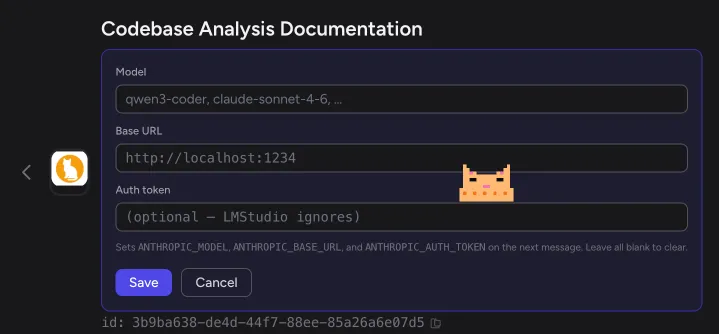
- The ability to use a custom model. Locally, I’ve run LMStudio that lets me download open source models and host a small server to run them locally. Then, i can connect it to my app like so:
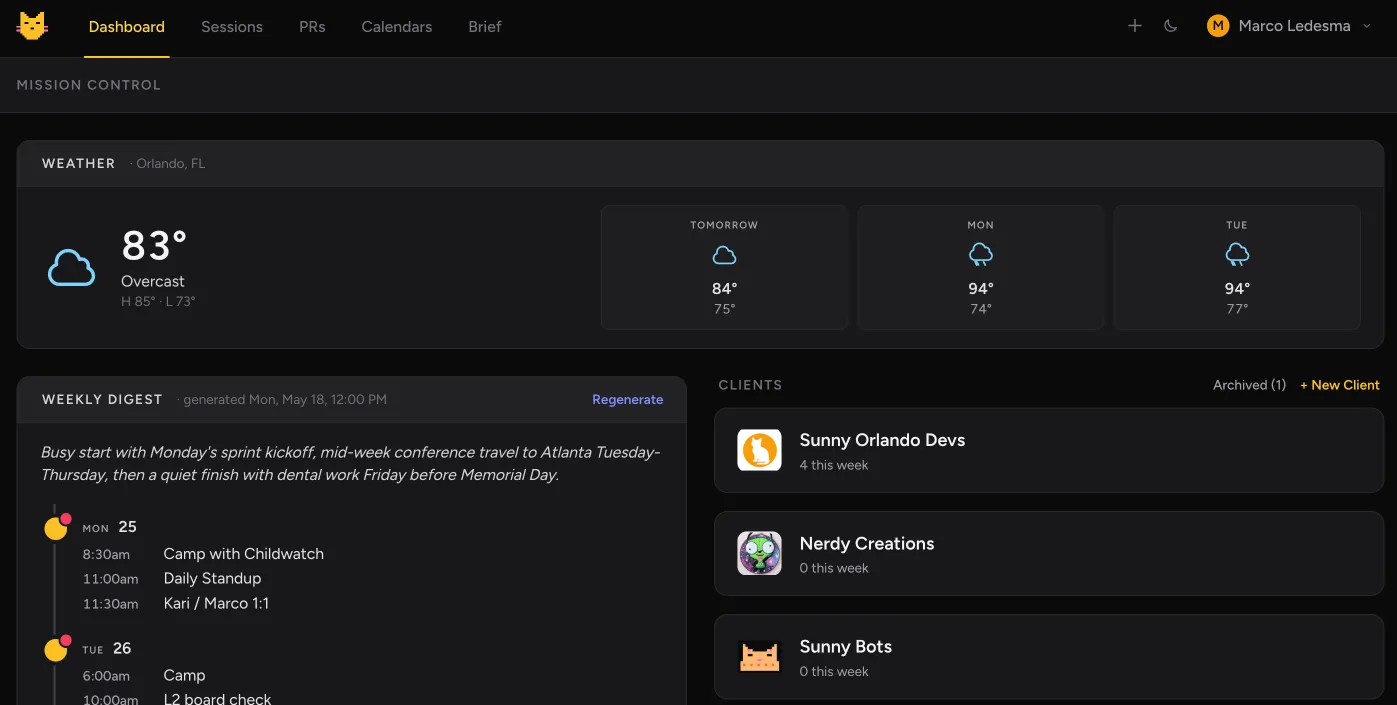
- I’ve built a Dashboard with a weather widget, weekly digest (it integrates with my calendar), and access to my current batch of clients
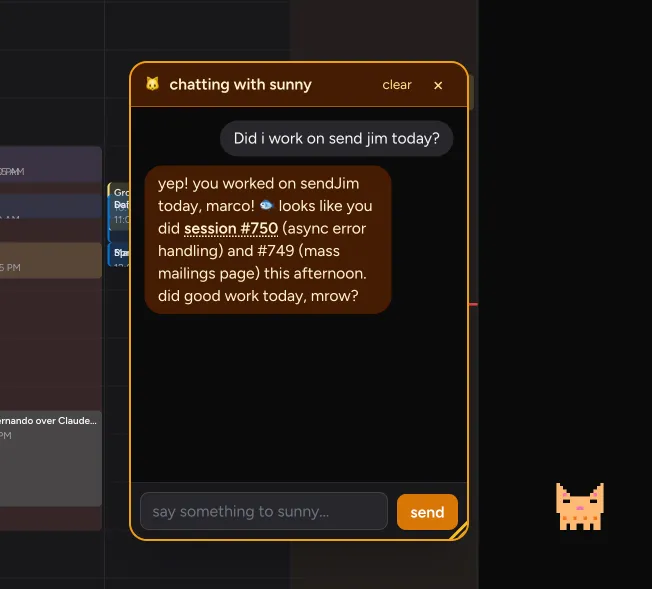
- You’ll also notice in my screenshots my little cat avatar. I created him to remind me to take breaks. He also is an agent as well, so he has access to all the data in my sunny-bots app.
Summary
I think everyone should build something like this - their own personal workflow app. I tried using OpenClaw, Paperclip, and researched other types of “agents” you can install, but they all came up short and limiting. Plus, as a developer, I know I can develop features on my own faster (specially now with Claude Code).
If you want to give it a try, follow my prompt templates in my github repo here: https://github.com/m4rcoperuano/claude-code-mission-control. Let me know if you have any questions or if you were able to build your own meta-harness :).